
Lights at Sea2.2 - App Store
You'll be able to see results in few seconds.
Publisher Description
For the price of a cup of tea.
"Lights at Sea" is all about the lights serving as navigational aid at sea and their characteristics. With "Lights at Sea" you can
• TEACH and LEARN the international notation of light characteristics as used in charts and lists of lights,
• VISUALIZE the light patterns for a given characteristic or DEMONSTRATE them to your students,
• INTERNALIZE important characteristics (e.g. the light patterns of cardinal marks),
• and PREPARE YOURSELF for the lights of a specific sailing area.
FEATURES
• "Lights at Sea" decodes characteristics entered conforming to the document "Standardization of List of Lights and Fog Signals" of the International Hydrographic Organization and displays a corresponding light pattern. All characters defined by the standard are supported:
– fixed
– occulting
– isophase
– long-flashing
– flashing
– quick
– very quick
– ultra quick
– interrupted quick, very quick, ultra quick
– Morse code
Lights may
– have a character combined with a fixed light,
– have alternating colors,
– and consist of concatenated characters.
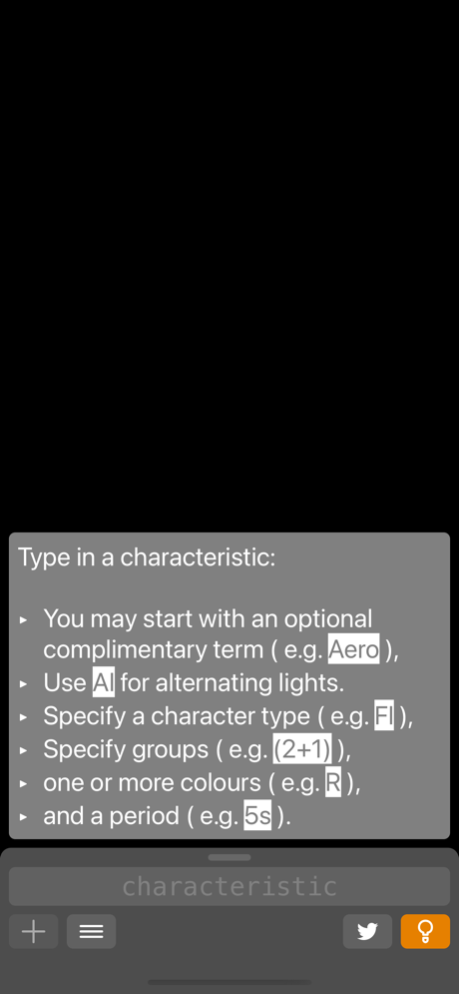
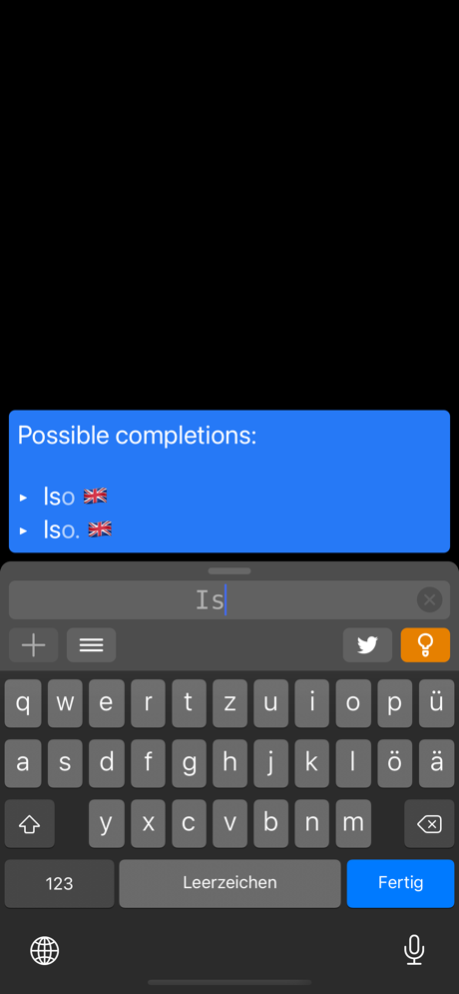
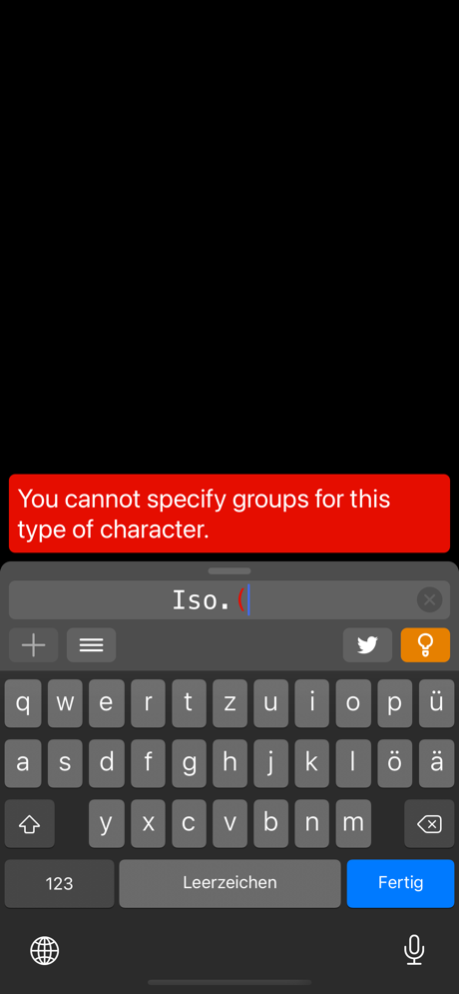
• Great for learners: Displays hints and error messages while you enter a characteristic.
• The characteristic is translated into light signals and updated accordingly while it is being entered.
• The parts of a characteristic will be colored according to their state while being entered (identified, incomplete, invalid).
• "Lights at Sea" can also decode the (outdated) German notation of light characteristics.
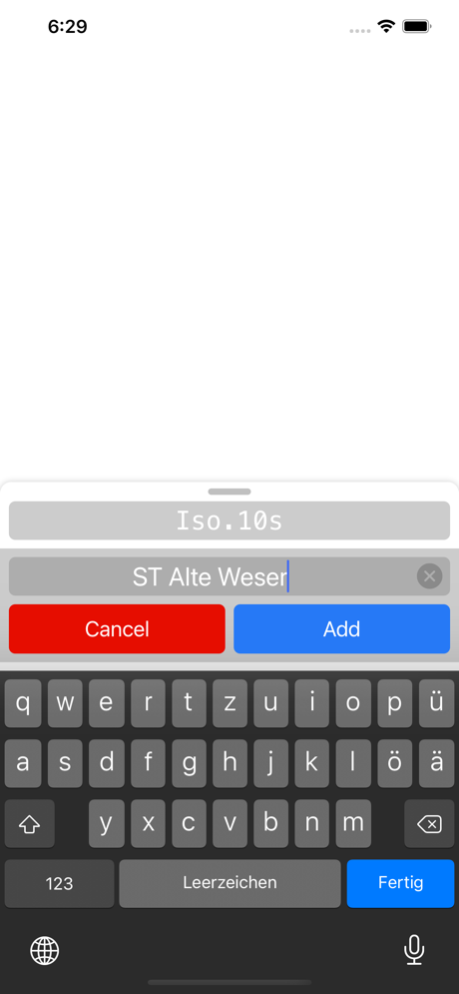
• Lights can be stored, deleted, and selected for reproduction.
Dec 8, 2020
Version 2.2
Removed in-app store.
About Lights at Sea
The company that develops Lights at Sea is Pierre Bongen. The latest version released by its developer is 2.2.
To install Lights at Sea on your iOS device, just click the green Continue To App button above to start the installation process. The app is listed on our website since 2020-12-08 and was downloaded 0 times. We have already checked if the download link is safe, however for your own protection we recommend that you scan the downloaded app with your antivirus. Your antivirus may detect the Lights at Sea as malware if the download link is broken.
How to install Lights at Sea on your iOS device:
- Click on the Continue To App button on our website. This will redirect you to the App Store.
- Once the Lights at Sea is shown in the iTunes listing of your iOS device, you can start its download and installation. Tap on the GET button to the right of the app to start downloading it.
- If you are not logged-in the iOS appstore app, you'll be prompted for your your Apple ID and/or password.
- After Lights at Sea is downloaded, you'll see an INSTALL button to the right. Tap on it to start the actual installation of the iOS app.
- Once installation is finished you can tap on the OPEN button to start it. Its icon will also be added to your device home screen.
Program Details
System requirements
Download information
Pricing
Version History
version -
posted on 2021-02-09
version 2.2
posted on 2020-12-08
Dec 8, 2020 Version 2.2
Removed in-app store.
version 2.1
posted on 2018-02-23
Feb 23, 2018 Version 2.1
NEW FEATURES
• Display of Hints
Great for learners! "Lights at Sea" can now display hints on what to type next while you enter a characteristic. Displays detailed error messages now as well.
• iPhone X Support
BUG FIXES
• Some invalid characteristics were not detected.
• Fixed an error that caused the drawer's content to flip back to the default layout.
• Updated in-app store related code due to the change from Swift 3 to Swift 4. If necessary, please restore your in-app purchases.
version 2.1
posted on 1970-01-01
23 févr. 2018 Version 2.1
NEW FEATURES
• Display of Hints
Great for learners! "Lights at Sea" can now display hints on what to type next while you enter a characteristic. Displays detailed error messages now as well.
• iPhone X Support
BUG FIXES
• Some invalid characteristics were not detected.
• Fixed an error that caused the drawer's content to flip back to the default layout.
• Updated in-app store related code due to the change from Swift 3 to Swift 4. If necessary, please restore your in-app purchases.
version 2.1
posted on 1970-01-01
23 февр. 2018 г. Version 2.1
NEW FEATURES
• Display of Hints
Great for learners! "Lights at Sea" can now display hints on what to type next while you enter a characteristic. Displays detailed error messages now as well.
• iPhone X Support
BUG FIXES
• Some invalid characteristics were not detected.
• Fixed an error that caused the drawer's content to flip back to the default layout.
• Updated in-app store related code due to the change from Swift 3 to Swift 4. If necessary, please restore your in-app purchases.
Disclaimer
Official App Store Link
We do not host Lights at Sea on our servers. We did not scan it for viruses, adware, spyware or other type of malware. This app is hosted by Apple and passed their terms and conditions to be listed there. We recommend caution when installing it.
The App Store link for Lights at Sea is provided to you by apps112.com without any warranties, representations or guarantees of any kind, so access it at your own risk.
If you have questions regarding this particular app contact the publisher directly. For questions about the functionalities of apps112.com contact us.
